Finance work involves large volumes of text (documents, policies, contracts, reports) and structured reasoning that language models handle well. Claude, developed by Anthropic, has become a widely used tool for finance professionals for exactly those reasons. With a context window of up to 1 million tokens, Claude can process an entire year of financial documents, contracts, or correspondence in a single session.
This guide covers the full range: from the simplest questions you can ask today with no setup, to persistent context with Projects, to no-code automation with Cowork, Skills, and Plugins, to serious technical automation at the API and MCP level.
Level 1: Just Chat - Instant Access to Financial Knowledge
No files, no setup, no technical knowledge required. At this level you access Claude's financial knowledge directly by asking questions conversationally.
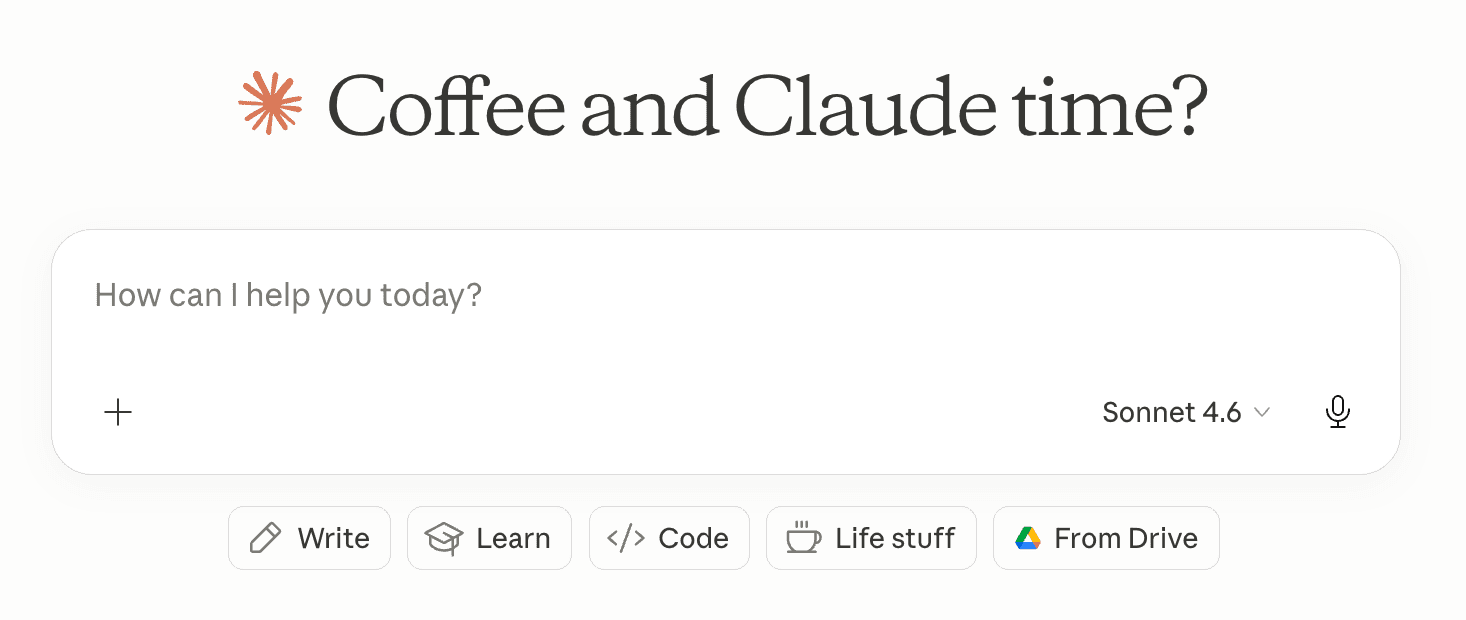
The most useful things you can do here:
- Ask tax and deductibility questions. What is deductible for a home office? How does VAT reclaim work in the UK? Are client meals 50% or 100% deductible in the US? Questions that used to mean a call with an advisor or an hour on a government website.
- Understand accounting concepts. What is the difference between gross margin and contribution margin? What does negative working capital mean? How does revenue recognition work under IFRS 15? Claude explains at whatever level of depth you need.
- Think through a financial decision. Should you offer net-60 payment terms to a large client? When does it make sense to hire a CFO versus outsource? What are the cash flow implications of switching to annual billing? Claude reasons through trade-offs rather than just returning a fact.
- Draft financial communications. Investor updates, board memos, payment dispute letters, vendor negotiation emails, audit response letters. Describe the situation; Claude handles the language.
- Prepare for meetings with your accountant or advisor. Describe your situation and ask what questions you should be asking, what documents to bring, and what decisions you should be ready to make.
- Look up live regulatory and compliance information. With web search enabled, Claude can pull current tax rates, mileage reimbursement limits, VAT thresholds, and filing deadlines. You get a synthesized answer rather than triangulating across multiple sources.
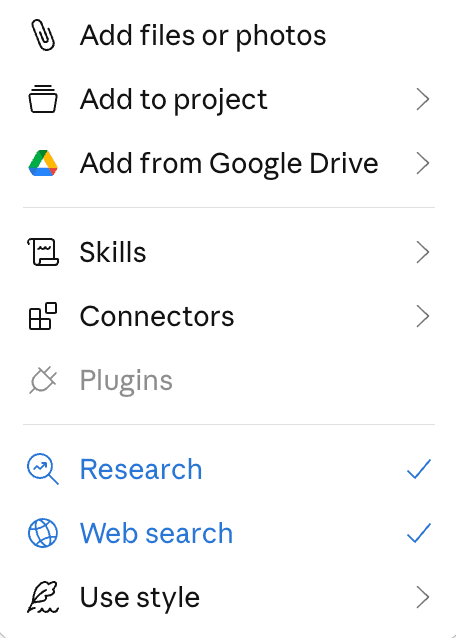
One important caveat. Claude reasons over its training data and can browse the web when that feature is enabled, but does not verify every answer against an authoritative source by default. Tax rules change and jurisdictions vary. For anything consequential, treat the output as a well-informed starting point and confirm with a qualified professional.
At this level, answers are general by nature: Claude responds from broad knowledge, not from your actual expenses, vendors, or transaction history. The following levels change that. If you want to query your own financial data conversationally today, tools like Receiptor AI already do this: the Ask AI feature lets you ask questions directly about your own documents ("What did I spend with AWS last quarter?" or "Which categories grew most this month?") with answers grounded in your real receipts and invoices.
Level 2: Projects - Your Data and Context, Always Available
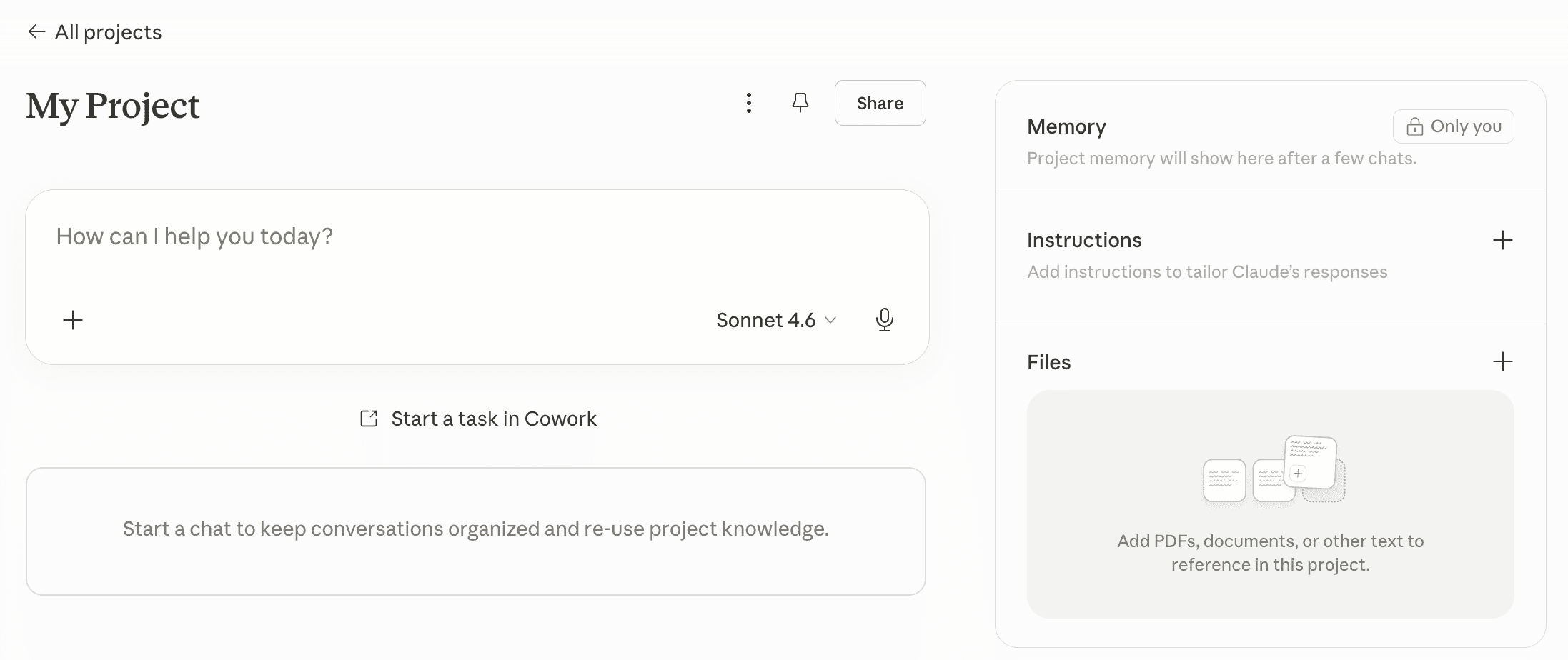
Claude's Projects feature changes the interaction from a one-off conversation to a persistent working environment. You upload files, set standing instructions, and share the project with your team. Every conversation inside that project inherits everything: your documents, your context, your preferred output format. No re-uploading, no re-explaining.
Persistent file access. Upload the documents Claude should always have available: bank statements, budgets, expense reports, contracts, your chart of accounts, and your expense policy. Claude's 1-million-token context window means even large document sets fit without truncation. You can also connect Google Drive for direct access without manual uploads.
What you can do with your data in Projects:
- Spend analysis from financial statements: Ask for a breakdown by category, top vendors, monthly trends, and any unusual items, directly from the statements you have uploaded.
- Budget variance analysis: Upload budget vs. actuals and ask Claude to identify the biggest gaps, distinguish structural issues from one-offs, and prepare questions for each department.
- Cash flow modeling: Provide your revenue, burn, and growth assumptions and ask Claude to model runway across multiple scenarios. Refine assumptions conversationally without rebuilding from scratch.
- Contract review: Upload a vendor agreement and extract payment terms, renewal dates, escalation clauses, and anything that warrants closer attention or negotiation.
- Contextual drafting: Claude already knows your company, your chart of accounts, your tone. Board memos, budget summaries, and vendor communications are grounded in your actual data.
Persistent instructions. The system prompt you set tells Claude how to behave in every conversation: your company name, expense categories, preferred output format, how to handle ambiguous items. Anyone on your team opens the project and gets consistent output without knowing how to prompt.
For receipt and invoice analysis specifically, the limiting factor at this level is that your financial documents still need to be manually organized and uploaded. Receiptor AI handles that upstream step: it captures documents automatically from your inbox, structures the data, and keeps it ready for analysis on demand.
Level 3: Skills, Plugins, Connectors, and MCP - Building Your Toolkit
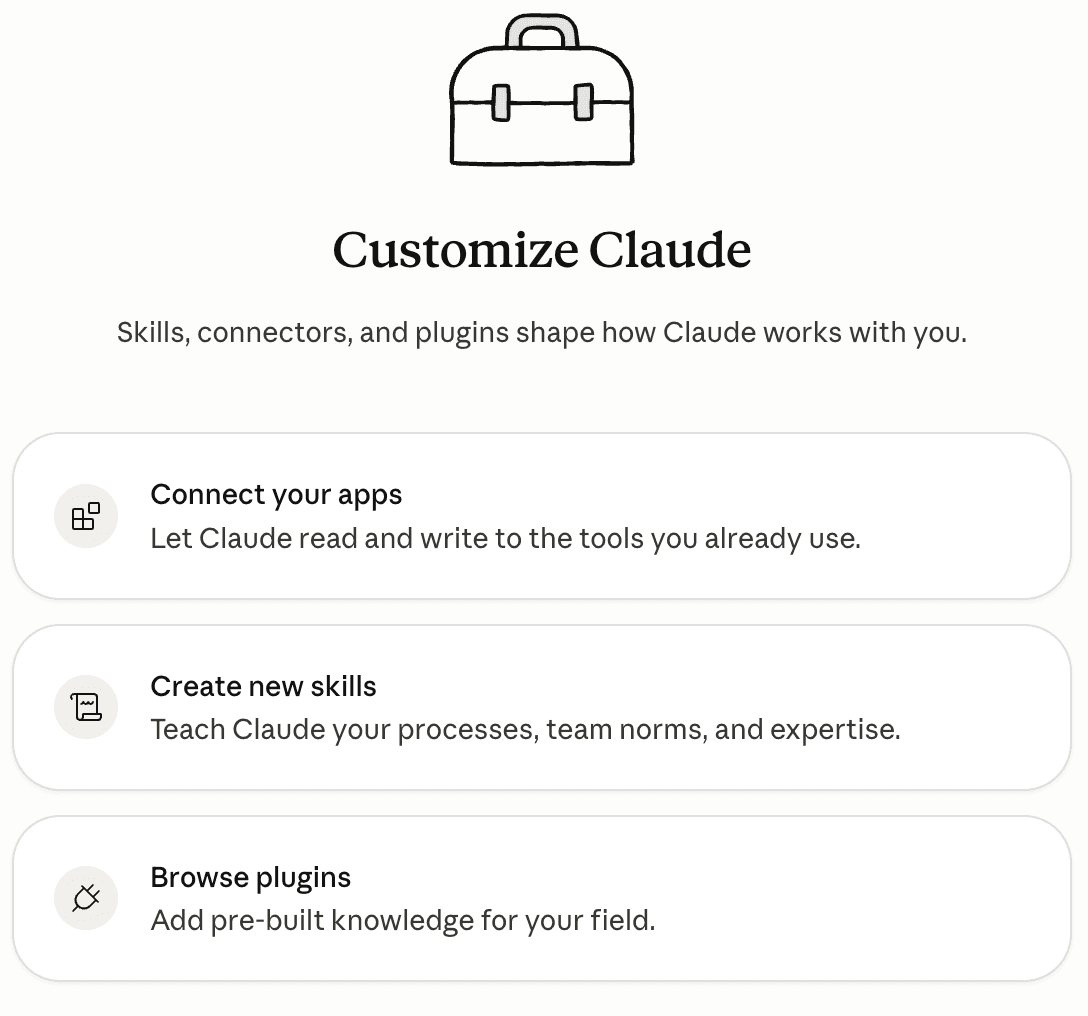
Before automation runs, it needs to be configured. This level is about the building blocks that make Claude smarter and more connected for your specific finance workflows.
Skills are reusable workflow instructions you encode once. Instead of re-explaining how you want a task handled in every session, a Skill tells Claude exactly: how to format an expense report, how to categorize transactions against your chart of accounts, how to structure a budget variance summary, how to extract data from a specific document type. Multiple Skills can be active simultaneously, and Claude applies them consistently across every task they cover.
Plugins bundle Skills, connectors, slash commands, and sub-agents into a single installable package. Rather than configuring each piece individually, you install a plugin and the relevant capabilities come with it. Anthropic's Plugin Marketplace includes a Finance plugin for analyzing financials, building models, and tracking key metrics, alongside plugins for other business functions.
Connectors link Claude to the tools your finance team already uses. Available connectors include Google Drive, Gmail, Slack, DocuSign, Microsoft 365 (Outlook, SharePoint, OneDrive, Excel), and more. Once connected, Claude can read from and act on those tools directly.
MCP (Model Context Protocol) is the underlying protocol that powers connectors. Anthropic developed it, and Claude's support is native. As of 2026, MCP connects to over 6,000 apps, meaning Claude-powered workflows can query live financial data from your systems or write back to them without manual data transfer.
What finance teams configure at this level:
- A board reporting Skill: Define your management report structure, commentary format, and variance thresholds once. Every month, Claude applies the same logic to whatever numbers you feed it, producing a consistent first draft without re-explanation.
- A contract review Skill: Encode what to look for in vendor agreements: payment terms, renewal dates, auto-escalation clauses, liability caps. Claude applies the same review framework to every new contract.
- A vendor communication Skill: Set your tone, your negotiation posture, and your standard terms. Claude drafts payment dispute letters, renewal negotiations, and onboarding emails in your voice every time.
- The Microsoft 365 plugin: Claude reads your Outlook inbox, accesses SharePoint documents, works with OneDrive files, and handles cross-app Excel workflows, without manual copy-paste.
- Accounting software and data connectors: Connect Claude to your financial data sources so it can pull live figures into analysis and reporting workflows without manual exports.
One area where you do not need to build this from scratch: receipt and invoice capture. Receiptor AI already provides pre-built connections to all major email providers and the extraction, categorization, and routing logic is built in. You connect your inbox once and the workflow runs automatically, with no Skill to configure or maintain.
This toolkit does not run itself yet. That is what Level 4 is for.
Level 4: Cowork - Where the Toolkit Runs
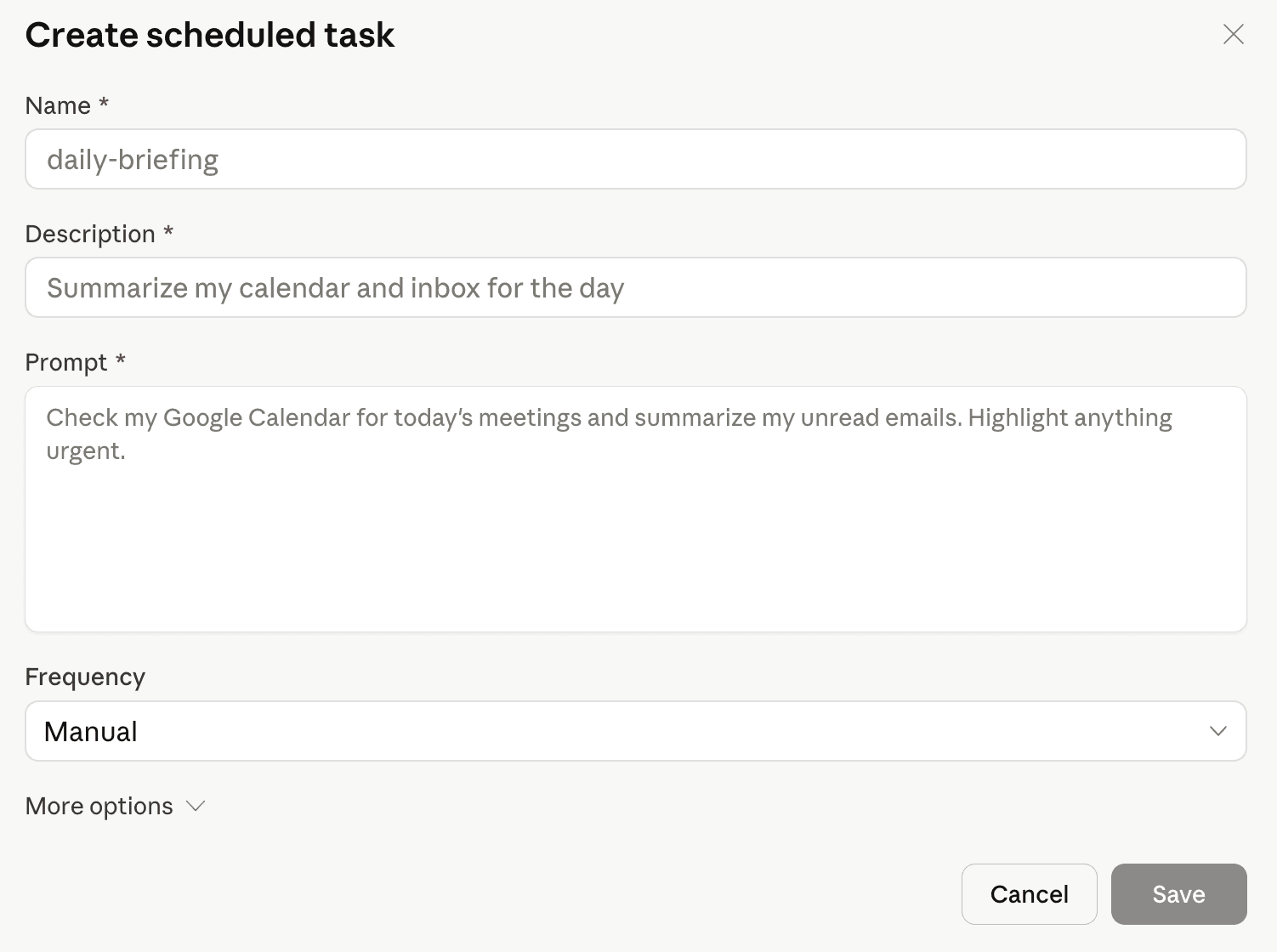
Cowork is Claude's desktop application that brings everything from Level 3 into a running automation environment, without writing a single line of code. Where Projects give you persistent context for conversations, Cowork lets you build and execute automated file and task workflows. Your Skills define how tasks are handled; your Plugins and Connectors define what tools are reachable; Cowork is where those pieces execute automatically.
What finance teams run in Cowork:
- Scheduled board and management reporting: Cowork pulls financial data from your connected sources on a set cadence, runs it through your reporting Skill, and delivers a formatted first-draft report every month without anyone kicking it off manually.
- Contract monitoring and renewal alerts: Cowork reviews your active contracts on a schedule, flags upcoming renewal dates, auto-escalation triggers, or payment milestone changes, and routes a summary to whoever owns vendor relationships.
- Budget tracking and variance digests: Each week, Cowork compares actuals against your budget, applies your variance Skill to flag what is off-track, and posts a summary to Slack or email for the finance team to review before their weekly meeting.
- Payroll and expense policy compliance checks: Cowork processes submitted expense reports against your policy Skill, flags anything out of compliance, and drafts a response to the submitter, all before a human reviewer touches it.
- Cross-tool financial workflows: Cowork orchestrates actions across your connected tools: read from Outlook, pull data from a SharePoint sheet, apply a Skill, update a spreadsheet, send a Slack notification, route a document to the right person.
- Computer Use for legacy systems: Claude can control a computer autonomously, navigating applications and completing multi-step tasks in software that has no API. For finance teams still using desktop accounting or ERP tools, this means Claude can operate those tools directly without any integration work.
For the inbox capture and bookkeeping workflow, Receiptor AI already runs at this automation layer without any Cowork setup. It monitors your inbox across all major email providers, extracts and categorizes every receipt and invoice automatically, integrates with QuickBooks Online and Xero natively, and runs scheduled exports on your cadence. It is Cowork-level automation for one specific workflow, pre-built and ready from day one.
When Claude Isn't Enough: The Case for Specialized AI Agents
Claude is a general-purpose reasoning engine. That is its greatest strength and also the source of its limits for specific, high-stakes professional workflows.
For financial document automation (capturing receipts and invoices, extracting structured data, coding to a chart of accounts, managing duplicates and entities, and pushing clean records into accounting software), the case for a specialized agent is clear:
- Setup: Building a reliable Claude-based workflow for inbox monitoring, document extraction, and accounting software sync requires real configuration work, even with Skills and Plugins. Receiptor AI connects in minutes and comes with accounting software integrations already built.
- Extraction accuracy: Because Receiptor AI is built for one specific job, the AI model and extraction algorithm have been customized around that task. Every edge case has been accounted for: unusual formats, multi-language documents, multi-currency invoices, line-item detail, tax breakdowns, entity identification. A general-purpose model handles these as best-effort. A purpose-built system is engineered so none of them slip through.
- Workflow built for the job: Claude is designed for conversation and task execution. Receiptor AI is designed for the way finance teams process documents: reviewing extracted data, approving categorizations in bulk, managing exceptions, giving access to your accountant or advisor, setting routing rules.
- Customization that adapts: Receiptor AI works in two layers: structured setup (business information, chart of accounts, entities) and behavioral learning over time. Categorization patterns, duplicate handling, flagging rules all become standing automations. You are not maintaining a prompt; you are correcting behavior that gets more accurate with every document it processes.
- Accounting-grade integrations: Native QuickBooks and Xero integrations built for accounting workflows. Data maps to the right fields, coding follows your chart of accounts, and the sync is reliable across software updates.
The right question is not "can Claude do this?" Often, the answer is technically yes. The right question is whether a general-purpose tool is the right instrument for a workflow that runs every day, handles financial data, and needs to be reliable without ongoing engineering attention. For the bookkeeping and receipt automation workflow, a specialized agent wins.